


Nov 30, 2021
How To Create and Use the Hyundai Digital Key
Are you tired of carrying your keys with you everywhere you go? Hyundai has the answer. The innovative Hyundai Digital Key is available for many of your favorite models that include the 2022 Hyundai Tucson and allows you to use your smartphone as a digital key – a feature not available for Toyota, Honda and Ford models. Use this quick step-by-step guide created by Earnhardt Hyundai of North Scottsdale to learn how to create and use the Hyundai Digital Key. Contact the dealership team today to schedule a test drive and experience the Hyundai brand firsthand!
How To Create a Hyundai Digital Key
- Install the Hyundai Digital Key App on Your Smartphone
- View the Hyundai Digital Key App Tutorial
- Setup Your MyHundai Account
- Turn On Your Hyundai with the Digital Key Fob
- Open the Hyundai Digital Key App on Your Smartphone
- Select the Vehicle to Save and Activate Save Mode
- Place Your Smartphone on the Wireless Charging Pad
- Use the Steering Wheel Menu Button to Access User Settings
- Select Digital Keys and Smartphone Key
- Select Save
How To Use the Hyundai Digital Key
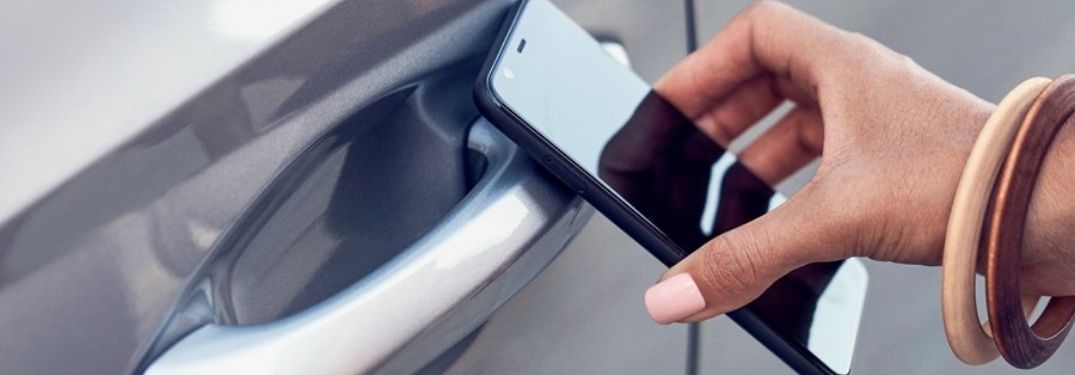
- Hold the Backside of Your Phone to the Door Handle to Lock/Unlock
- Place the Phone Face Up on the Wireless Charging Pad to Start Your Vehicle
- Use the Hyundai Digital Key App to Start or Lock Your Vehicle
- Open the Hyundai Digital Key App and Press Manage Digital Key
- Press the + Button to Add Hyundai Digital Key Users
Connect with us


Archives
- Color Options
- Earnhardt Hyundai North Scottsdale
- General Information
- Holiday
- Hyundai
- Hyundai Accent
- Hyundai Comparisons
- Hyundai Elantra
- Hyundai Elantra N Line
- Hyundai IONIQ
- Hyundai Kona
- Hyundai Palisade
- Hyundai Santa Cruz
- Hyundai Santa Fe
- Hyundai SmartSense
- Hyundai Sonata
- Hyundai Tucson
- Hyundai Venue
- No Bull Express
- Performance
- Phoenix
- Release Dates
- Safety
- Scottsdale
- Service
- Technology
- Used Vehicles
Categories
Earnhardt Hyundai North Scottsdale

Address
8445 E Frank Lloyd Wright Blvd
Scottsdale, AZ 85260
Phone
- Sales 888-316-9966
- Service 888-505-0099
- Parts 888-413-7711
| Monday | 8:00AM - 9:00PM |
| Tuesday | 8:00AM - 9:00PM |
| Wednesday | 8:00AM - 9:00PM |
| Thursday | 8:00AM - 9:00PM |
| Friday | 8:00AM - 9:00PM |
| Saturday | 8:00AM - 8:00PM |
| Sunday | 10:00AM - 6:00PM |
| Monday | 7:00AM - 6:00PM |
| Tuesday | 7:00AM - 6:00PM |
| Wednesday | 7:00AM - 6:00PM |
| Thursday | 7:00AM - 6:00PM |
| Friday | 7:00AM - 6:00PM |
| Saturday | 7:00AM - 4:00PM |
| Sunday | Closed |
| Monday | 7:00AM - 6:00PM |
| Tuesday | 7:00AM - 6:00PM |
| Wednesday | 7:00AM - 6:00PM |
| Thursday | 7:00AM - 6:00PM |
| Friday | 7:00AM - 6:00PM |
| Saturday | 7:00AM - 4:00PM |
| Sunday | Closed |